
녹음 기능
스크린샷
CleverControl can take screenshots of employees' screens at configured events as part of work-related activity reporting on authorized company devices.
- 활성 창, URL 또는 클립보드 변경 시 스크린샷 만들기
- Review windows and websites related to the configured work activity
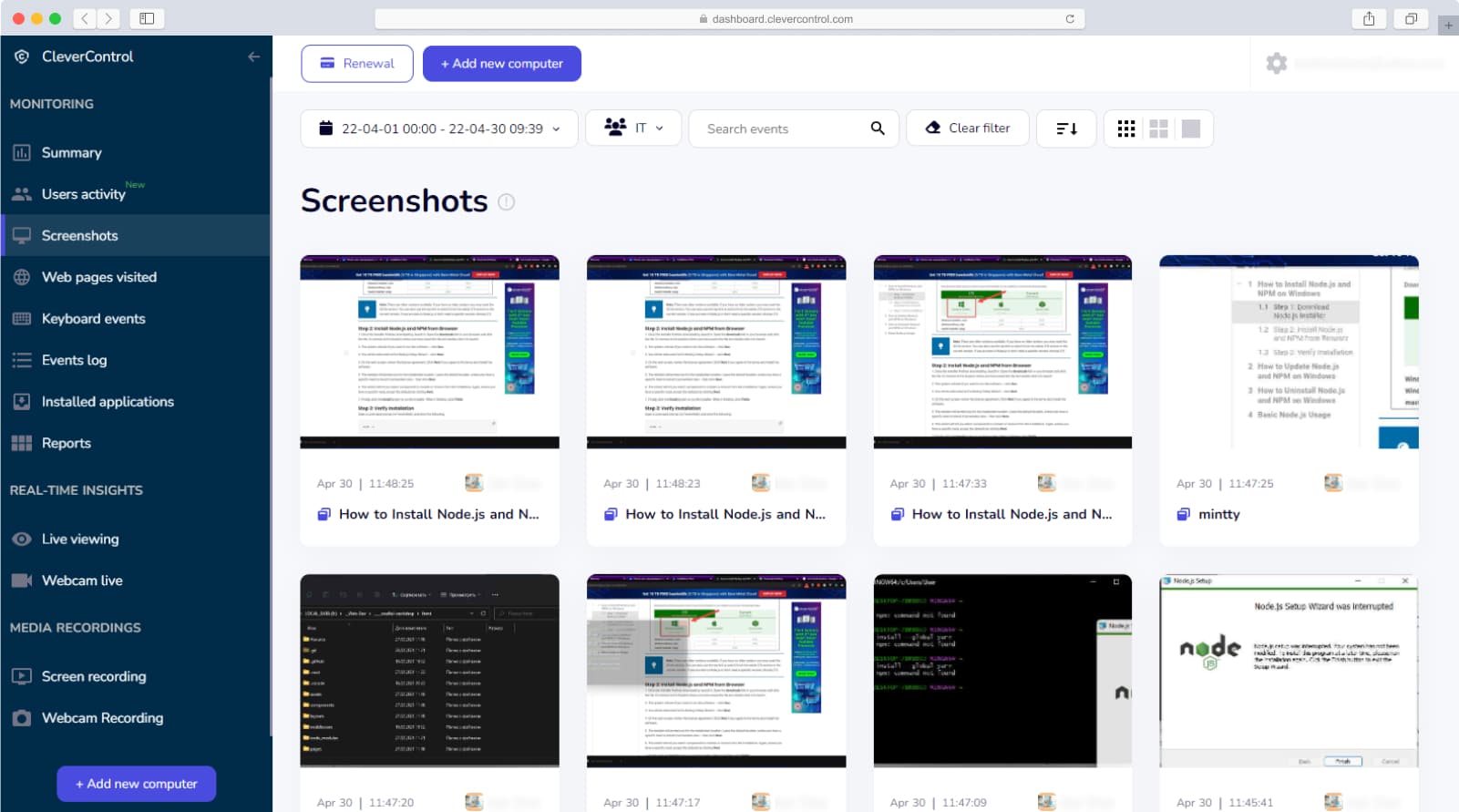
이 기능은 어떻게 유용할까요?
This feature allows you to review a visual report of configured work-related activity. In the Screenshots section, you can review screenshots captured according to configured events, such as active window, URL, or clipboard changes. This feature is great for analysing how each staff member uses their work time.
가입이동식 저장장치(USB, HDD, SD) 모니터링
CleverControl은 외부 드라이브 활동을 별도로 모니터링합니다.
- Get a report of external drive connections
- 연결 시간, 기간 또는 이름 가져오기
- Review which users connect unapproved drives to authorized company devices
- Check the configured external storage connections, including USB, HDD, SD, CD/DVD, etc.
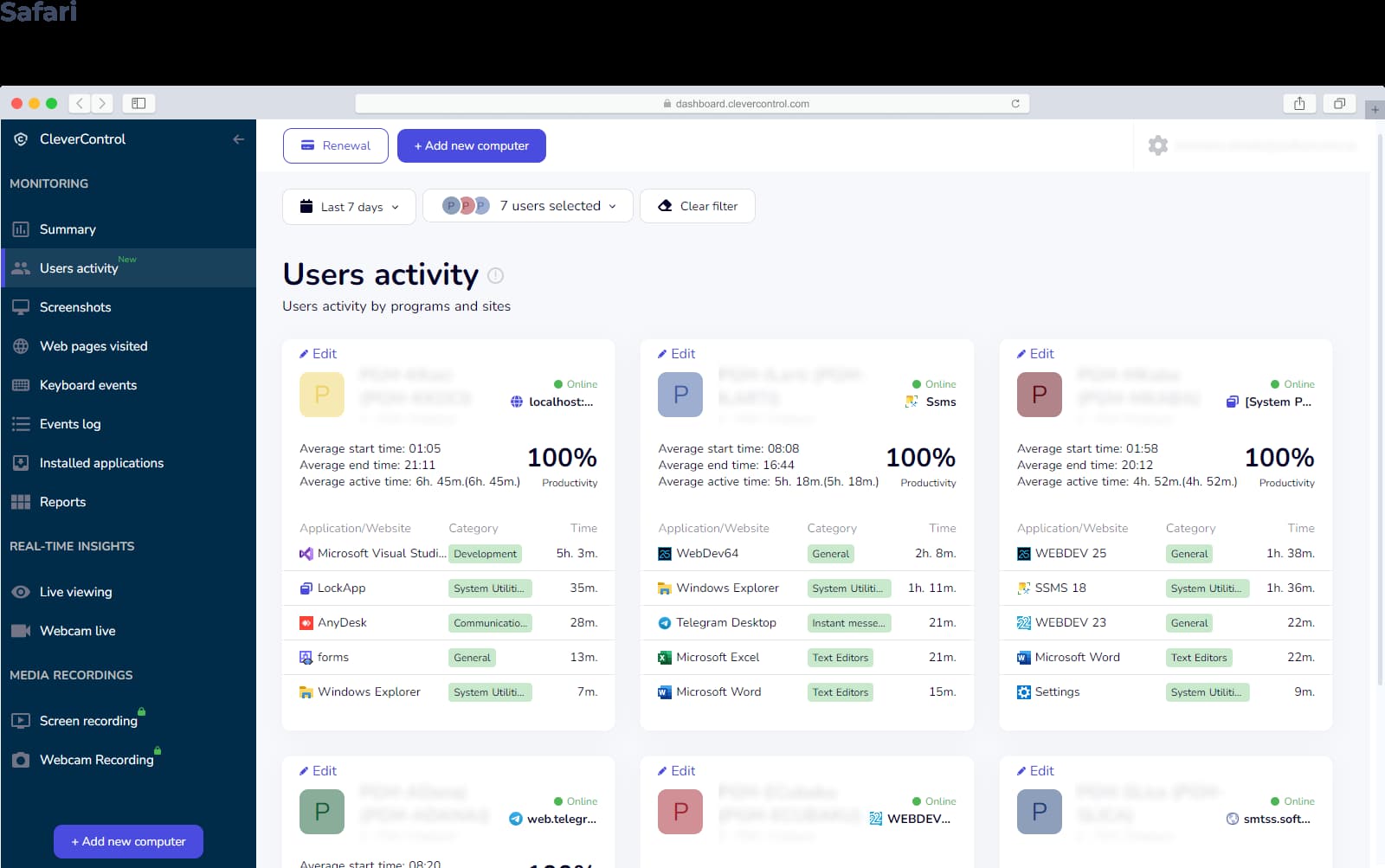
이 기능은 어떻게 유용할까요?
Unfortunately, some employees might leak or misuse company information. CleverControl can help you to prevent it from happening or find out who is responsible for it. With the addition of screenshots, you can see file-copying activity to or from a company device and support an internal review.
이와 동일한 기능을 사용하여 누군가가 인터넷에서 파일을 다운로드하여 플래시 드라이브에 복사하는 등 개인적인 용도로 업무용 컴퓨터를 사용하는지 확인할 수 있습니다.
가입인쇄 제어
CleverControl separately monitors printer activity on authorized company devices.
이 기능은 어떻게 유용할까요?
Use of the company’s resources for personal needs is quite common among many employees. Some might use printers to print out personal documents, which would be expensive to do using paid printing services. Or sometimes worse - an employee might print out confidential information without approval. With CleverControl, you will be able to prevent corporate info from leaking, because you can review relevant cases and the users involved.
가입 직원 모니터링
 온프레미스
온프레미스 인터넷 사용 모니터
 실시간 라이브 모니터링