
Ohio Businesses: How to Implement Employee Monitoring Software Without Legal Risks

Today, employee monitoring software is a common tool in many companies' toolkits. It helps to protect sensitive information, improve productivity, track attendance, manage remote teams, and perform numerous other tasks.
In their monitoring practices, companies often focus on the how of tracking only. What software to choose? How to integrate it into their current system? What alerts to configure and how often to check productivity stats? In this pursuit, these companies ignore the ethical and legal sides of the matter: why they monitor and whether their practices comply with the law.
The legal landscape is unique for each country and even state. Today, we will explore how to implement employee monitoring in Ohio in a way that is not only compliant with the law but also respectful of your team.
Disclaimer: This article is for informational purposes only and is not meant to replace legal advice. We recommend seeking legal advice from an expert before implementing employee monitoring in your company.
The Legal Landscape in Ohio
Before you click "Purchase" on the chosen monitoring software and start tracking keystrokes, it is essential to learn what types of monitoring the Ohio law allows and where the limits are.
Federal Laws: The Foundation
Two federal laws form the foundation of workplace monitoring legality.
The Electronic Communications Privacy Act (ECPA) prohibits intentional interception and monitoring of employees' oral, wire, and electronic communications. However, there are two exceptions:
Employers may monitor employee communications conducted on company-owned devices for legitimate business purposes if monitoring is routine and employees are notified.
Employers can monitor employees if they obtain their consent, typically through signed agreements or policies acknowledged during onboarding and employment.
Ohio is a one-party consent state. This means that you can legally record a conversation as long as you are one of the participants, or if at least one party in the conversation consents to the recording. There is no need to obtain consent from all parties to the conversation.
The National Labor Relations Act (NLRA) protects employees' rights to discuss wages, working conditions, and to form unions. Companies cannot use monitoring to spy on or discourage protected group discussions. If your software flags employees for collaborating on labor issues, you are on shaky legal ground.
Ohio's Specific Regulations
Ohio law reinforces employee privacy in specific, meaningful ways. Here are the key points:
Video Surveillance
Cameras can be useful for security, especially in warehouses, retail spaces, or other areas with a high risk of theft. You can install video cameras in:
- Work floors
- Entryways
- Parking lots
- Break rooms (with caution!)
However, employees have reasonable expectations of privacy in certain areas. That is why you cannot place cameras in:
- Restrooms
- Locker rooms
- Changing areas
- Private offices without notice
Even in shared spaces like break rooms, it is wise to post visible signage indicating surveillance is in use. Otherwise, employees may claim they expected privacy - putting you at risk of a tort claim for invasion of privacy.
Audio Recording
As previously mentioned, employers cannot record conversations without the consent of at least one party (e.g., a manager can record a disciplinary meeting with an employee or an employee's phone call to a client with the employee's consent).
Digital Activity
On company devices and networks, Ohio employers have broad rights. Employees generally have no reasonable expectation of privacy when using:
- Company email
- Work-issued laptops or phones
- Internal messaging platforms
This means, on these devices, you can monitor:
- Internet browsing history
- Email content
- Application usage
- Login/logout times
- File access
However, monitoring of these activities must serve a legitimate business purpose. Besides, monitoring an employee's personal accounts or their activity outside work is prohibited.
In summary, under Ohio law, employee monitoring is allowed, but employers respect an employee's privacy expectations. Companies should not use surveillance in private areas and obtain proper consent for audio recording.
The Importance of Transparency
Even if a law does not explicitly require disclosure, failing to inform employees about monitoring can open you up to claims of invasion of privacy, especially if the surveillance feels secretive or excessive.
A clear, written policy is not just good practice - it is your legal shield. A solid policy does more than check a compliance box. It:
Sets clear expectations
Removes ambiguity about privacy
Documents employee acknowledgment
Protects your business in case of disputes
Builds a culture of fairness
What Your Policy Should Include
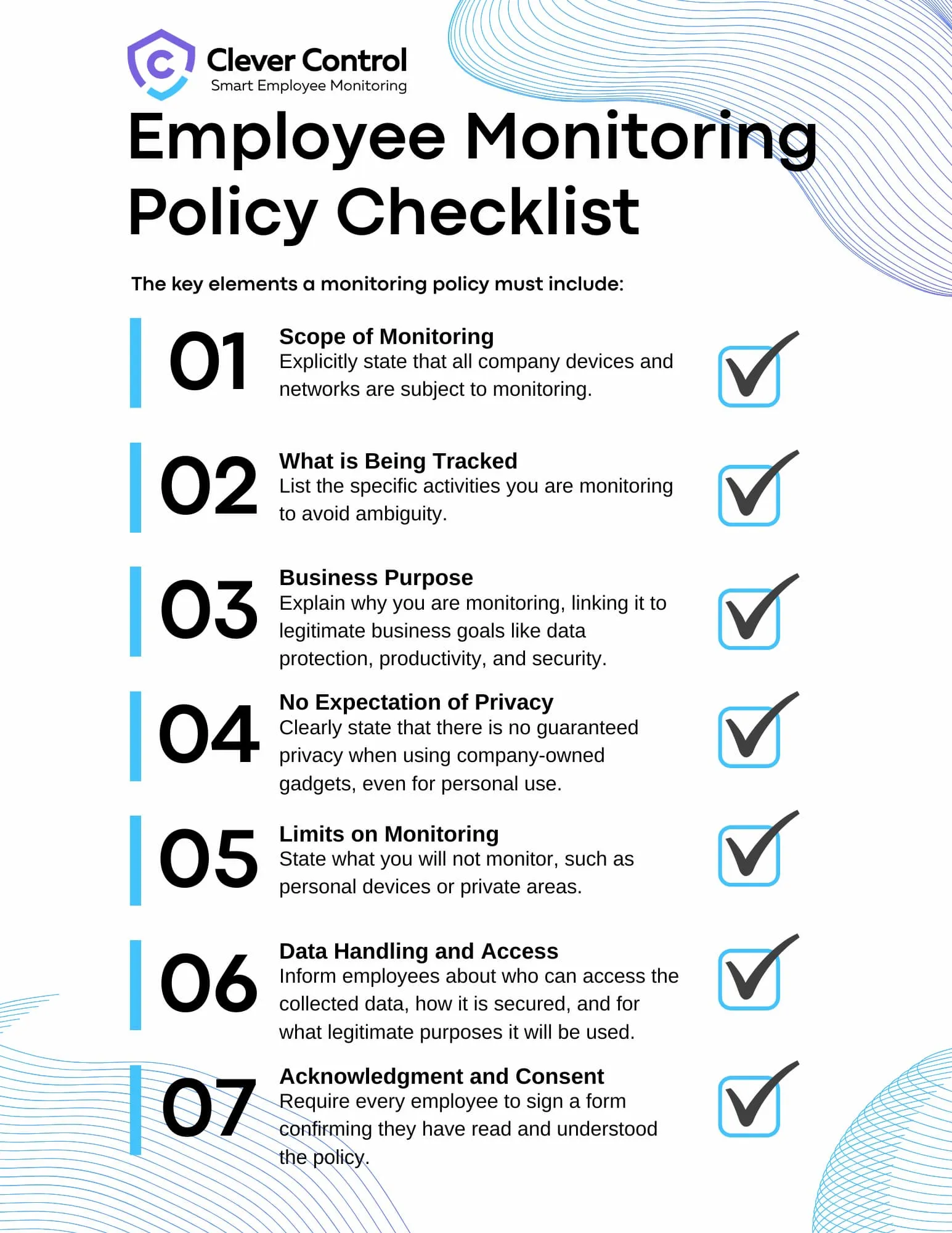
Your employee monitoring policy should be straightforward, easy to understand, and comprehensive. Here is what to cover:
Scope of Monitoring
Clearly state that all company-owned devices, networks, and systems are subject to monitoring. Include examples: emails, internet usage, file transfers, GPS tracking (if applicable), and login activity.
What is Being Tracked
Be specific. Are you logging keystrokes? Monitoring screen activity? Tracking website visits? List it. Vagueness breeds stress and assumptions.
Business Purpose
The policy should explain your reasons for monitoring. For example:
- Protecting sensitive customer data
- Preventing insider threats
- Ensuring compliance with industry regulations
- Evaluating productivity
- Revealing employees who need additional training and support
- Supporting remote team productivity, etc.
These explanations will help employees relieve stress and see that monitoring is a measure of support, not punishment.
No Expectation of Privacy
State clearly that using company technology does not guarantee privacy. If an employee checks a personal email or visits a non-work-related site using it, this activity may be monitored too.
Limits on Monitoring
Reassure employees by stating what you will not do, for example:
- No audio recording without consent
- No cameras in private areas
- No tracking of personal devices or off-duty behavior
Data Handling and Access
Employees must be informed about who can access monitoring data (e.g., HR, IT, direct supervisors) and how long it is retained.
The policy should also state what security measures will be taken regarding the collected data and for what legitimate purposes the information will be used.
Acknowledgment and Consent
Every employee should sign a form confirming they have read, understood, and agree to the policy. Keep these records on file.
Practical Checklist for Launching Employee Monitoring
Rolling out monitoring software does not have to feel like a surveillance operation. With the right approach, it can be a transparent and even positive change.
Here's how to do it right:
Step 1: Talk to an Employment Lawyer
Before you buy software or draft a policy, consult an Ohio-based employment attorney. They will help you navigate the nuances of state law, especially around audio recording and privacy expectations. This small investment can prevent costly legal battles down the road.
Step 2: Define Your "Why"
What problem are you trying to solve?
Are you dealing with data security risks?
Trying to improve productivity in a remote team?
Responding to a compliance requirement?
Your goal should drive your tools - not vice versa. Avoid "monitoring for monitoring's sake" - this will only lead to legal problems and decreased employee morale.
Step 3: Draft a Clear, Human-Centered Policy
Write your policy in simple, understandable language. Avoid legalese. Include real-world examples to eliminate confusion.
This policy is not a one-time document. Update it as your business, technology, or applicable regulations evolve.
Step 4: Communicate - Don't Announce
Do not drop the policy like a bomb. Hold a team meeting. Explain the reasons behind the change. Answer questions. Listen to concerns.
Frame it not as control, but as clarity and protection for the company, for clients, and employees.
Then, get written acknowledgment from every employee.
Step 5: Choose Software That Respects Boundaries
Not all tools may be fit for your goals and legal landscape. Look for monitoring software that:
Allows you to customize what is monitored
Offers role-based access controls
Encrypts data and supports secure retention
Lets you disable invasive features (like screen recording or keystroke logging) unless absolutely necessary
The best choice is not always the most powerful tool. Choose one that aligns with your values and legal obligations.
Step 6: Apply the Policy Fairly and Consistently
Bias is a silent killer of trust. If only certain employees are monitored, especially if those employees share a protected characteristic, you risk discrimination claims.
Monitor consistently, transparently, and only for legitimate business reasons. Avoid micromanagement.
Final Thoughts
By understanding Ohio's legal landscape, being transparent with your employees, and applying monitoring fairly, you can build a workplace where accountability and trust go hand in hand.
Because the best kind of monitoring is not the kind that watches what people do - it is the kind that helps them do their best work.