
11 Best Employee Monitoring Software of 2026: Pros, Cons & Comparison
Employee monitoring has become an essential tool in many companies' toolkits, and for good reason. When your employees are supposed to be working, you can't always know if they are focused on tasks or distracted by the endless temptations of the internet. These distractions don't just sabotage output; they can lead to serious data breaches, exposing sensitive company information to the cybercriminals who lurk online. Employee monitoring allows managers and business owners to take a deeper look into their teams' work activities and patterns, spot time-wasting and inefficiencies, and prevent security risks.
In today's environment, with hybrid and remote work here to stay, tools that provide visibility and security without micromanaging are essential. In this article, we will explore the main considerations for choosing tracking tools and 11 of the best software options to keep you on top of your employees' digital activity.
Key Considerations Before You Choose
With so many powerful options available, selecting the right tool depends on your specific goals. Here is a short checklist to help you make the best decision:
• What is your primary goal? Do you want your team to be more productive? Are you looking to prevent data leaks? Or do you need a tool to track work hours automatically and optimize payroll? Answering these questions will help you narrow your focus.
• What are the must-have features for you? They will depend on your primary goal. Do you need live screen viewing, keystroke logging, or just website and application tracking? Avoid paying for features you won't use.
• Is the software easy to use? If you don't have a dedicated IT team, a cloud-based solution with a simple dashboard is essential.
• Does the pricing fit your budget?
• Does the software offer a free trial? With it, you can test the tool risk-free and see how it matches your needs.
Quick Comparison Table
| Tool | Best For | Key Features | Free Trial? |
|---|---|---|---|
| CleverControl | All-in-one, easy setup | Live screen/webcam recording, social media tracking, cloud-based | 5 days |
| Spyrix | Comprehensive feature set | Keystroke logging, live viewing, cloud-based operations | 5 days |
| Hubstaff | Remote teams & productivity | GPS tracking, time tracking, automated payroll | 14 days |
| SentryPC | Budget-friendly control | Content filtering, website blocking, USB detection | Free Demo |
| InterGuard | Large-scale deployment | Detailed reporting, group management, 24/7 support | Free Demo |
| Veriato | Data breach prevention | AI-powered behavior analysis, threat detection | Free Demo |
| Work Examiner | Web-focused monitoring | Web surveillance, usage control, time tracking | Live Demo |
| Teramind | Security & insider threats | Data Loss Prevention (DLP), real-time alerts, risk scoring | Yes + Free Demo |
| ActivTrak | User-friendly analytics | Productivity reports, workload balance, free demo | Free Demo |
| BambooHR | SMBs with HR needs | Applicant tracking, performance reviews, onboarding tools | Free Demo |
| Controlio | Security & web filtering | Monitoring profiles, screen recording, threat alerts | 14 days |
CleverControl has been widely praised for its efficient modus operandi of tracking the online activities of remote employees. One of the reasons it has been listed on the top is that you don't have to be an IT specialist for installing the software, making it a favorable option for all kinds of employers. Whether you want to spy on employees' web-surfing activities, those related to internet search, application operation, or even social networking and social messaging, nothing will ever escape your notice.
The best part is, it takes just 3 minutes to get it up and running! CleverControl essentially works on a cloud-based solution with a secure web account, eliminating the need to have a dedicated server. Additionally, employers could monitor up to 300 computers simultaneously, all while recording webcam and mic activities, apart from also recording the screen.
| Pros: | Cons: |
|---|---|
| Comprehensive online activities reports | It might take some time to get the hang of things. |
| Easy to install and operate | |
| Real-time monitoring via web account | |
| Recording of social media activities |
Spyrix
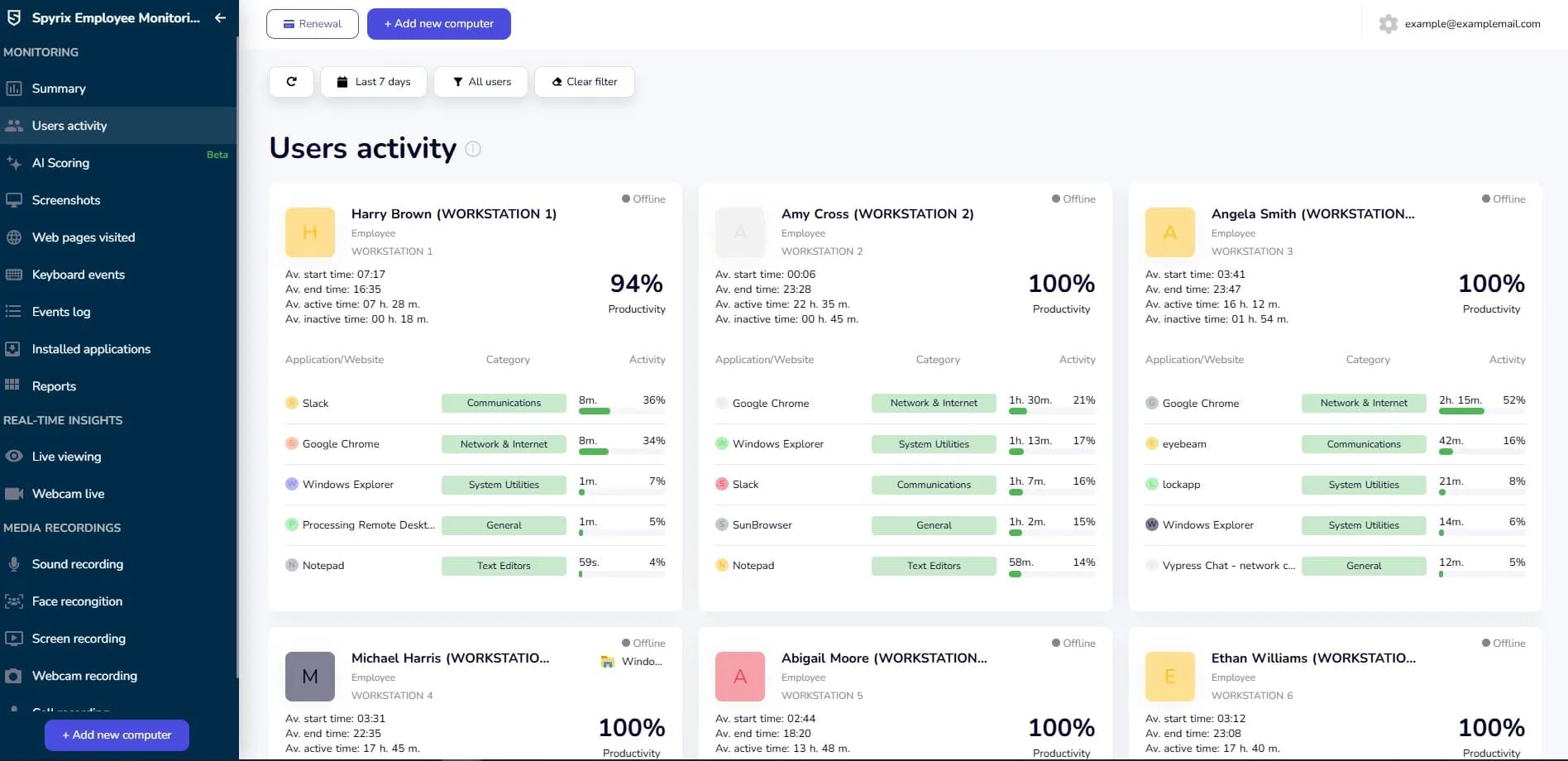
Spyrix employee monitoring software has been hailed by many for its vast array of features that take care of virtually all monitoring needs. The foremost feature that earned the platform countless fans is its real-time monitoring, which keeps a watchful eye on the activities of employee's computers. It is simple to install, and once installed, you could begin keeping the logs almost immediately. Be it tracking the screenshot history of an employee, their application activities, their interaction with social networking sites, including Facebook Messenger, WhatsApp, during work hours, everything could be placed under the microscope to ensure minimum laxity and maximum productivity.
Additionally, it also provides vital features like live screen viewing and screen recording. You'd be the first one to know if your employees have been working on the new project or have been amusing themselves on the internet. The best part is, although the software is a paid one, you could give it a test drive by trying out their free trial, which would make all their features available to you for a limited period.
| Pros: | Cons: |
|---|---|
| Cloud-based operations | A rather brief trial period |
| Easy data recording and storage | |
| Tracking visited websites, keystrokes, and more | |
| Monitoring social media activities | |
| Real-time viewing |
Hubstaff
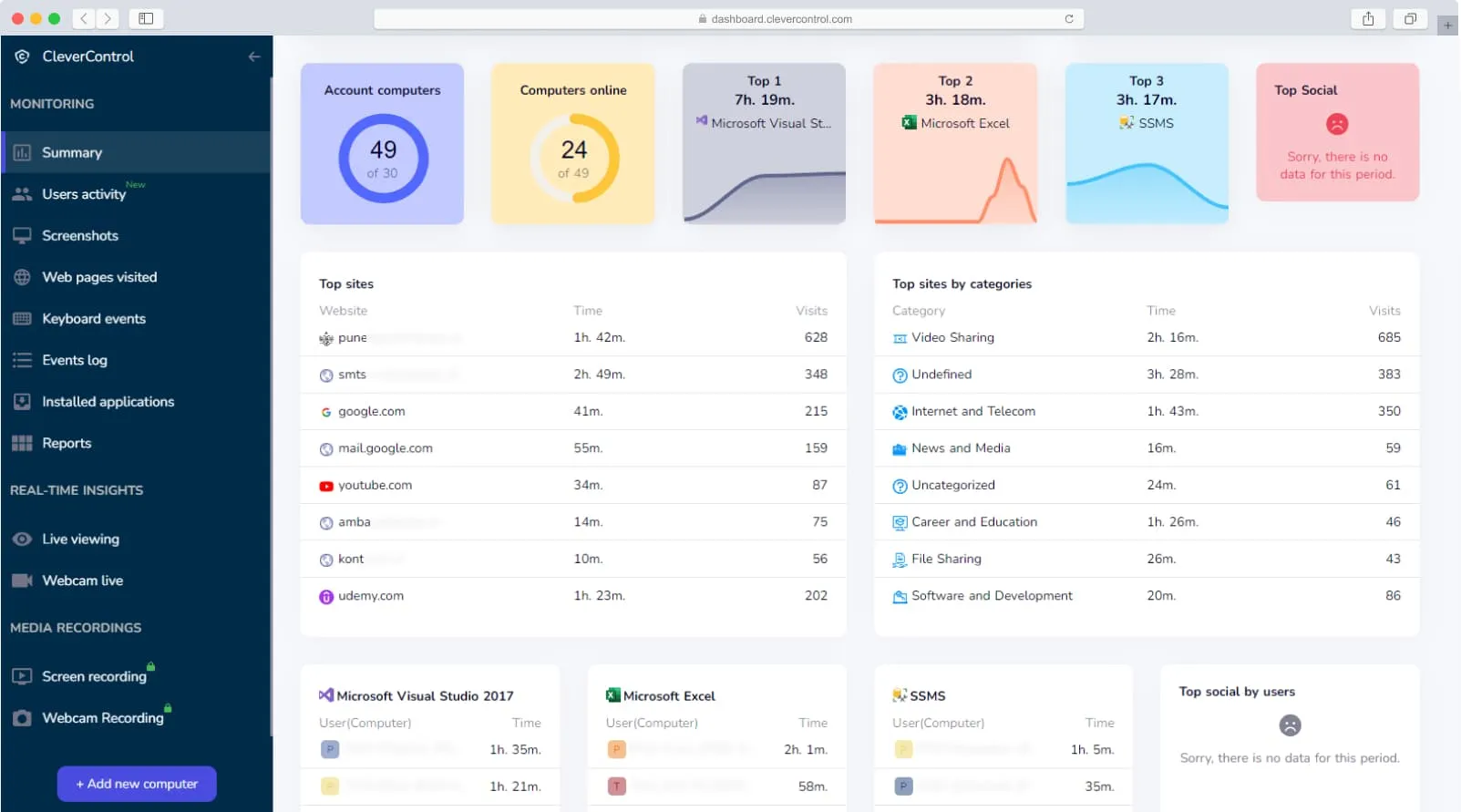
Hubstaff is quite comprehensive when it comes to monitoring. It is especially excellent to keep track, improve employee productivity, establish regular productivity goals, and keep track of the progress made in the achievement of those objectives. Ideal for both employers and employees, it also offers features such as smart GPS tracking, which allows you to manage your team more efficiently, especially the ones working remotely.
Moreover, there are also timesheets and automated payroll functions that might interest some employers. Hubstaff barely takes a minute to set things up and get the ball rolling. The software is also excellent at pinpointing workers who are either lax about work or are having trouble meeting the desired outcomes and enable in helping such employees out.
| Pros: | Cons: |
|---|---|
| Accurate time tracking | A little expensive |
| Improve employee productivity | |
| Ingenious GPS tracking system | |
| Quick set-up |
SentryPC
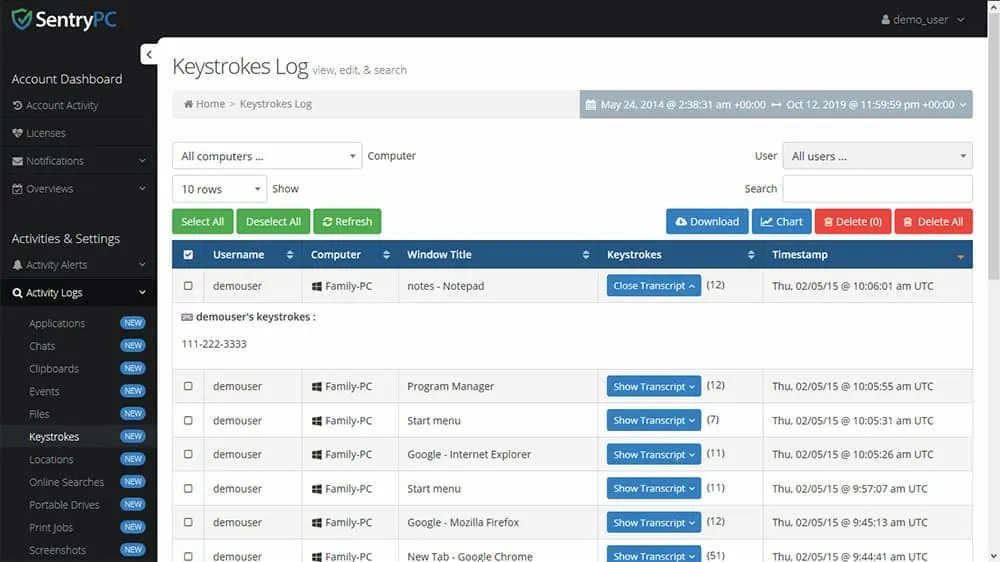
SentryPC is a wholesome software that caters to virtually all needs of an employer when it comes to tracking. This cloud-based computer monitoring tool is excellent for content filtering. By this, access to certain websites, games, apps, and keywords could be blocked or restricted, either completely or for a specific time of the day. This will ensure that employees are rid of any distractions while they are at work, and the productivity levels could be volleyed.
Furthermore, user activities, such as interactions with websites and applications, could be monitored, thanks to the screenshot feature that the software offers. The USB drive detection feature of SentryPC has also been drawing in various customers. It is perfect for people who don't want to spend a lot of money on employee software yet, want to reap the prime benefits of the technology.
| Pros: | Cons: |
|---|---|
| Content filtering | Paves way for privacy issues |
| Close track of online interactions | |
| USB drive detection | |
| Inexpensive Services |
InterGuard
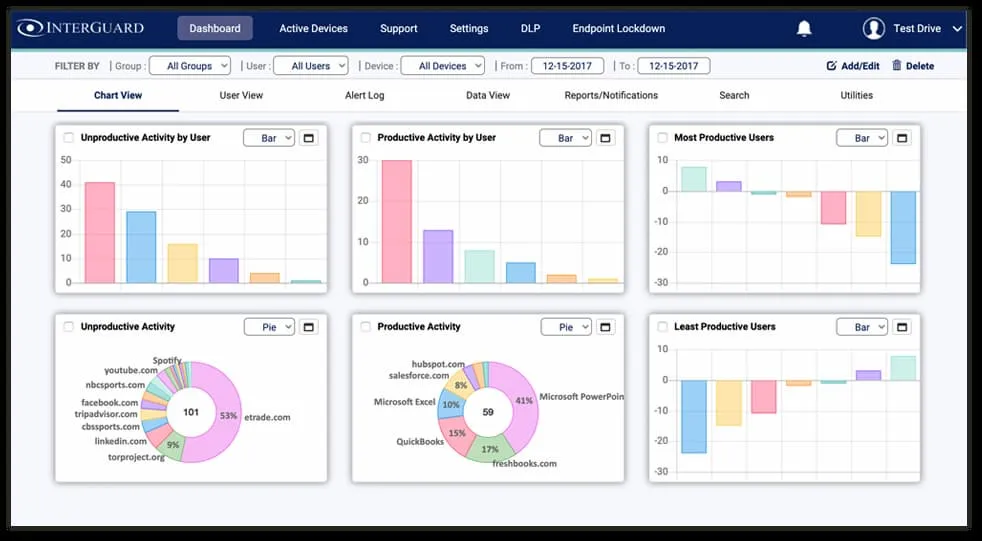
InterGuard is excellent at keeping track of activities on employees' computers, laptops, tablets, and phones. Those long and tedious hours can certainly lead to some employee distraction, but the efficient monitoring of this software can prevent that from happening by sending in comprehensive reports of online activities back to the employer. Furthermore, the sensitive data of the firm could be protected from getting into the wrong hands, whether intentionally or otherwise.
The management of the system is also commendable as it allows you to arrange employees in different groups for seamless tracking. The dashboard also gives input on who has been most productive and who has been least. Furthermore, based on your company's need, certain unique alerts could be devised, which could be used to assign varying levels of threat and risk. This will ensure high-level risks are dealt with first, and so on. The customer care of the tool is phenomenal as well.
| Pros: | Cons: |
|---|---|
| Detailed reporting | Complex pricing structure |
| 24/7 live chat support | |
| Helps in increasing productivity | |
| Seamless operation |
Veriato
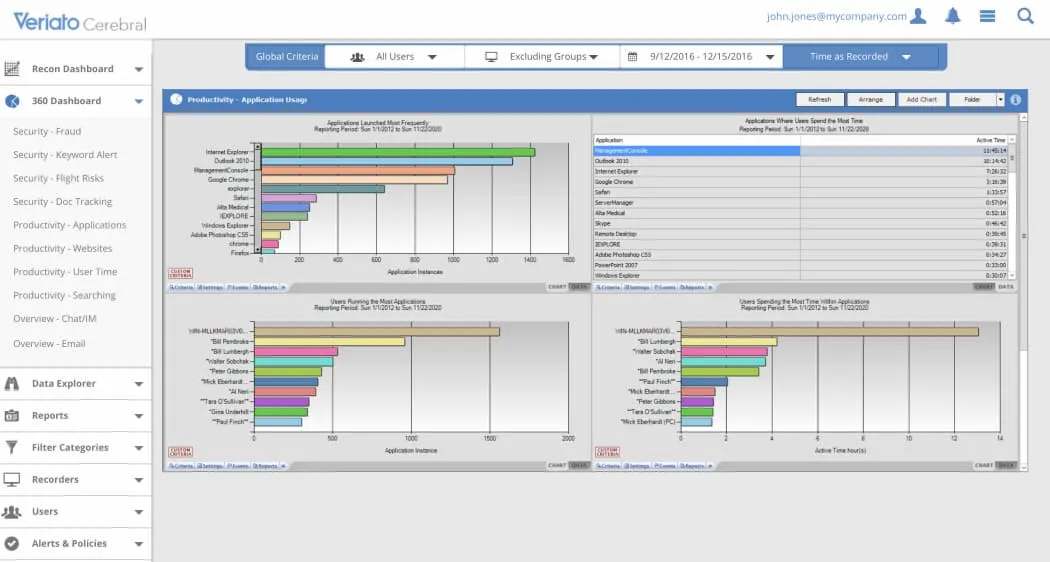
Veriato is more suitable for people concerned about data breaches. Its integrated AI software follows a five-stage procedure of staying on top of things; Observing, Analyzing, Alerting, Spotting, and Reacting. This standard procedure helps employers in identifying risk elements and reacting to them almost immediately before any harm is done.
In the monitoring stage, the employees' online activity throughout the web spectrum is put under the microscope. It is then analyzed to detect any threats or anomalies. In case something is detected, Cerebral Security will issue an alert, following which corrective measures could be put in place. To verify the authenticity of the red flag, a user's screen recording could be scrutinized. This ensures that no malpractices escape your notice.
| Pros: | Cons: |
|---|---|
| Wide-ranging monitoring tools | Complex setup |
| Integrated AI software | |
| Efficient stands procedure | |
| Quick detection of threats |
Work Examiner
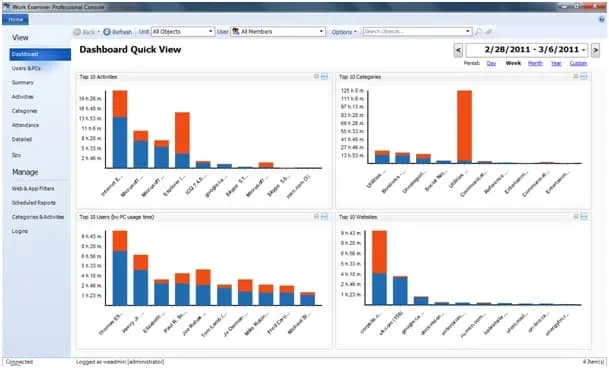
Work Examiner has clearly categorized its functions into three departments; web surveillance, web usage control, and work time tracking. These functions essentially encompass detailed reports on what employees view, operate on, and interact with. Furthermore, it can also provide a filtering feature, in which you decide which websites your employees can access. When you've denied an employee permission to access a site, you'd be informed if they try to violate the set guidelines, and subsequent action could be taken.
The surveillance essentially deals with what employees see on their devices in real-time. Apart from tracking web activities, their social networking interactions can also be monitored too. Meanwhile, work time tracking keeps a tab on your employees' work-related activities. It also raises a red flag when they're identified doing a non-work-related activity.
| Pros: | Cons: |
|---|---|
| Employee attendance | It doesn't offer many of the advanced features compared to others on this list. |
| Real-time tracking | |
| Filtering feature | |
| Surveillance on all online activities |
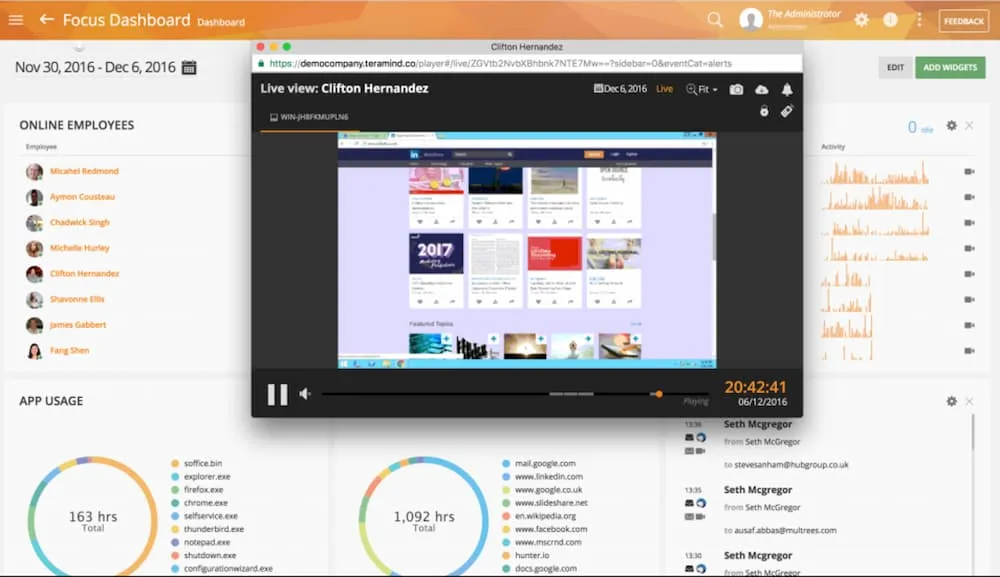
Teramind
Teramind is the first and last line of defense against all kinds of security threats. In this age and time, when multiple firms have been reporting data breaches, something like Teramind software is much needed, thanks to a data loss prevention pack that is uniquely crafted to protect a company's data.
This is primarily achieved by scrutinizing the online behavior of employees and whom they interact with during work hours. Be it websites, applications, social networking sites, online and offline files, web searches, or even printing; this sophisticated system tracks everything. The video recording feature is also why it has earned many fans over the years. On a broader note, it detects inside threats to the company and abusive behaviors online. This is apart from the features that a regular tracking app offers, including attendance, real-time alerts, and productivity levels.
| Pros: | Cons: |
|---|---|
| Real-time alerts | Doesn't allow monitoring of company-owned mobiles |
| Data risk prevention | |
| Tracking of online interactions | |
| Employee productivity management |
ActivTrak
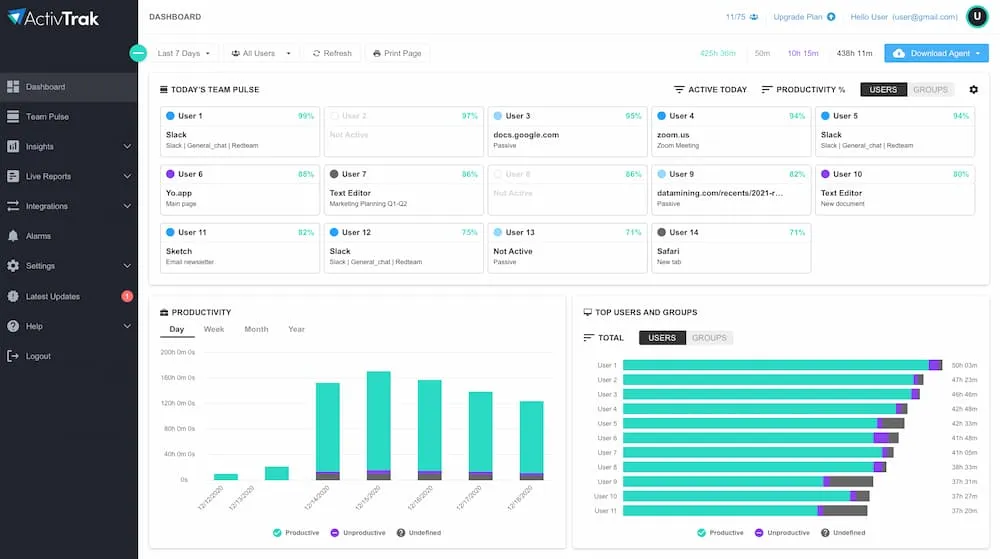
ActivTrak is known for its seamless and easy-to-use dashboard while rendering quality monitoring services. The cloud-based software is equipped with all the features needed to track employee behaviors, productivity levels, objectives, and workload balance. The comprehensive analytics of the system gives input on various individuals and monitors the employee activity constantly.
From mouse and keyboard movements to web usage, it meticulously keeps an eye on how an employee behaves in front of their computers and whether or not they are working towards their daily target. The unique features of this software include audit trails, USB activity monitoring, and risk scores, using which employees with higher risk to forfeit confidential information or cause data breach is identified.
| Pros: | Cons: |
|---|---|
| Free demo | Doesn’t have keystroke feature |
| Simplified employee monitoring | |
| Customizable operations | |
| Easy to navigate |
BambooHR
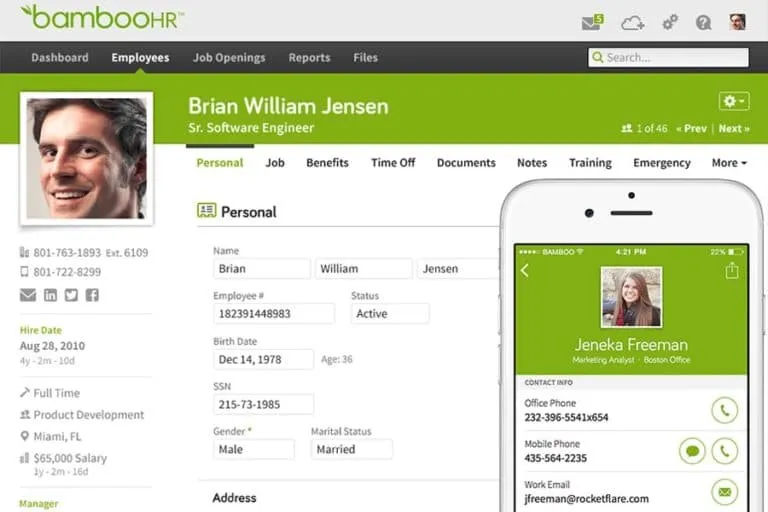
For small and medium-sized businesses, BambooHR wins the race. With a seamless applicant tracking system and performance management, it checks all the boxes of an ideal employee monitoring mechanism that caters to virtually all needs. Plus, it is also affordable when compared to other systems in its league, making it perfect for small organizations.
Not only is it equipped with employee monitoring features, but also human resource functions, such as recruitment, performance reviews, and more. You cannot go wrong with this one.
| Pros: | Cons: |
|---|---|
| Holistic human resource functions | Mobile app could use some improvements |
| Ideal for small and medium-sized firms | |
| Applicant tracking system | |
| Onboarding tools |
Controlio
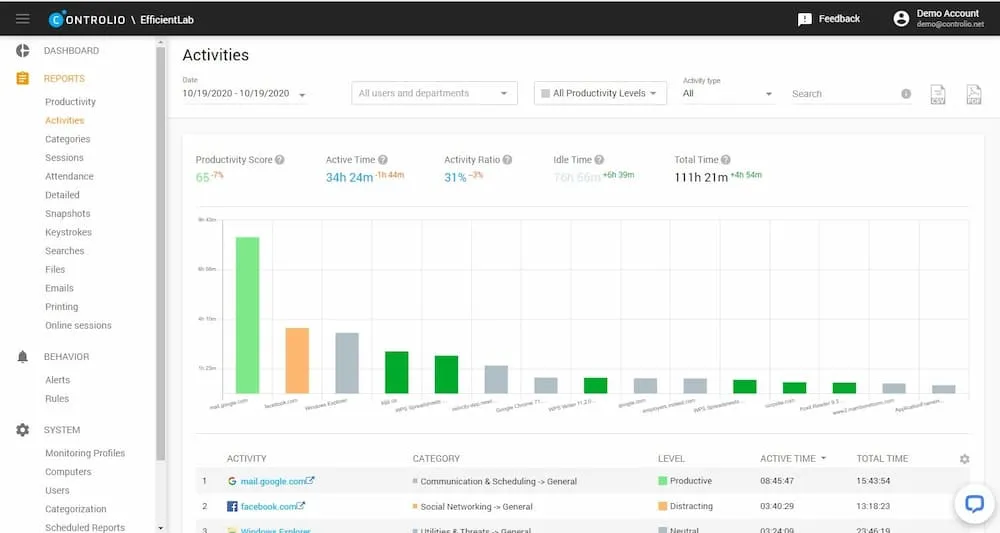
Controlio is unique for its monitoring profiles, which enables the seamless arrangement of employee activity in a company of hundreds of employees. Whether you want to operate in stealth or tray icon mode, this software can provide both options.
Moreover, it can aid in web filtering, enabling you to decide what your employees can access and whatnot, allowing you to manipulate their online activities indirectly. This is one of the reasons why Controlio made it to the list. If there is any malicious activity, the system will raise a red flag against the culprit, and with a screen recording feature, evidence for the wrongdoing could be presented. This makes protecting data and networks a simpler task.
| Pros: | Cons: |
|---|---|
| Raises security threats | Limited services during the free trial |
| Screen recording feature | |
| Tracks employee behavior and collective productivity | |
| Free trial available |
To summarize, there are plenty of employee monitoring platforms to choose from that offer employee tracking and much more. With a little research, you could get a great deal on the best employee software that caters to all your requirements!