
Monitor ng paggamit ng Internet
Aktibidad sa Website
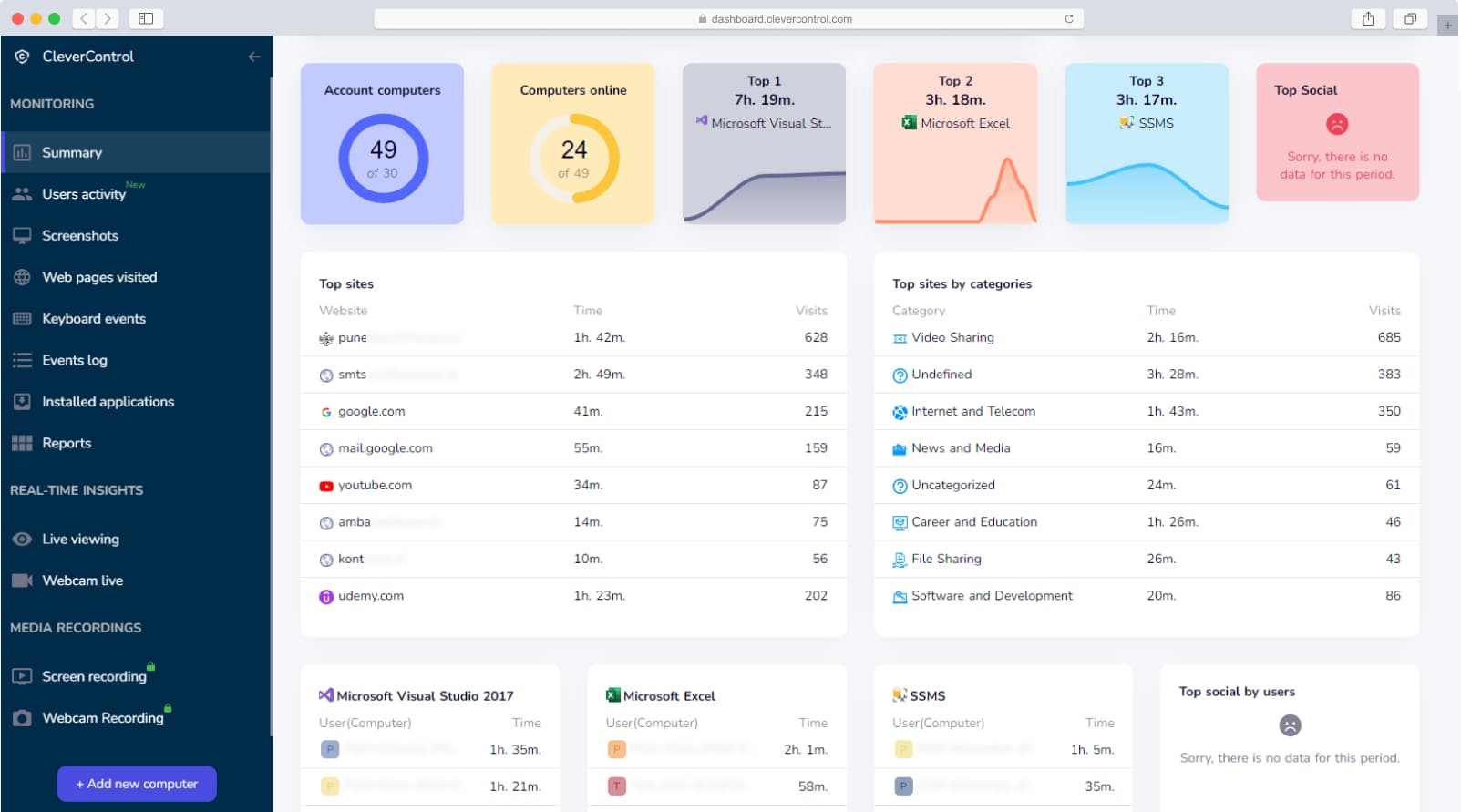
With CleverControl, you can review configured website activity on authorized company devices.
- Get website activity reports
- Alamin kung anong mga website ang binisita ng user hanggang dalawang linggo bago ang pag-install ng program
- Oras at tagal ng mga pagbisita sa website
- Hanapin ang listahan ng mga URL upang tingnan ang mga hindi gustong website
- Mag-click lamang sa mga naitala na URL upang suriin ang isang hindi kilalang site
Paano magiging kapaki-pakinabang ang feature na ito?
Often, Internet usage is the most valuable source of information about employees: how often they use social media, entertainment sites, and other non-work-related sites. This can help identify productivity issues, excessive non-work browsing, or potential information leakage.
Configured unproductive or potentially unwanted website activity can be recorded by CleverControl and reviewed in your account.
More than that, you will be able to get the list of websites the user visited even before the installation of CleverControl. The software will extract two weeks of website history from the user's browser. Look back at the past and see what unproductive activities the employees spent their work time on.
Browser history import should be enabled only when lawful, necessary, disclosed in advance, and consistent with the organization's retention policy.
Mag-sign upAktibidad sa Paglalapat
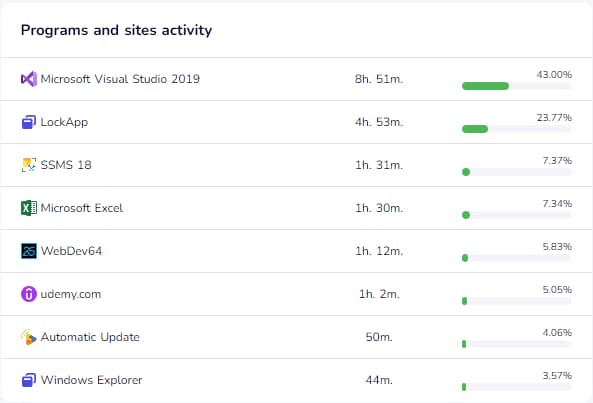
CleverControl shows configured application activity on monitored company devices.
- Review application activity during defined working hours.
- Oras at tagal ng aktibidad ng programa
- Get a report of installed programs
- Subaybayan ang mga bagong naka-install na application upang maiwasan ang hindi gustong aktibidad
Paano magiging kapaki-pakinabang ang feature na ito?
Say, you have a department, like accounting, that has one application, in which employees are supposed to spend the majority of their working time. With CleverControl, you can check if the reality actually matches the supposition. Besides, it is always useful to know what kind of program employees run on their PCs most frequently.
Mag-sign upPagsubaybay sa aktibidad ng Mga Search Engine
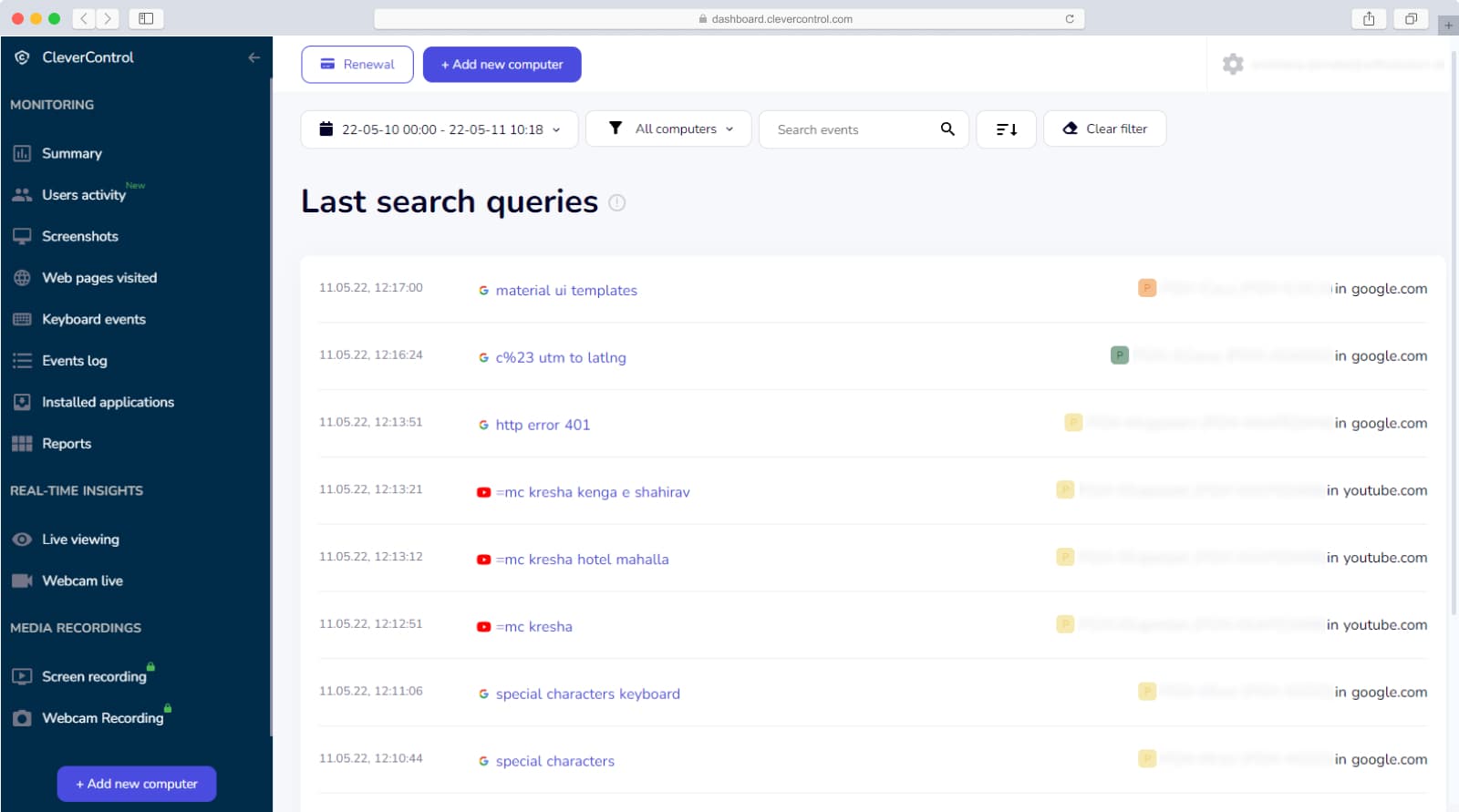
With CleverControl, you can review configured search activity on monitored company computers.
- Get search query reports
- I-click lamang ang naitalang paghahanap upang makita ang mga nabuong resulta ng paghahanap
- Suriin ang listahan ng mga paghahanap upang makita ang mga hindi gustong alertong salita
Paano magiging kapaki-pakinabang ang feature na ito?
Knowing what your employees look for on the Internet can be insightful. Sometimes it may be enough to check the search history to see how productive and hard-working your employee is. Avoid collecting sensitive personal searches unless strictly necessary and legally permitted.
Mag-sign up Pagsubaybay sa Empleyado
 Nasa Nasasakupan
 Real-time na Live na Pagsubaybay